UGCut: the UGC creator app for iPhone
Script to posted in 15 minutes.
UGCut is launching soon on the App Store. Join the waitlist and we’ll email you the moment it’s live. No spam, ever.
What is UGCut?
UGCut turns a script into a finished, captioned video in about 15 minutes, entirely on your iPhone. Write or paste your script and UGCut splits it into sentences you can tag Hook, Body, and CTA. Read it once with the speech-following teleprompter. Flub a line and a single gesture re-records just that sentence. UGCut auto-cuts the take per sentence, adds animated captions in your choice of 8 styles, and exports presets sized for TikTok, Reels, and Shorts with a safe-zone preview. Every cut is anchored to a sentence in your script, so editing is as easy as editing text. All AI runs on-device (iOS 26+), so your footage and your face never leave your phone, with no account required to record, cut, caption, and export. The free tier keeps the entire core loop; Pro removes the watermark, unlocks 4K, and adds all 8 caption styles.
See it on your iPhone
See what a script-first UGC video editor does: write the script, read it once to the camera, and watch it cut and caption itself. Every step lives in one portrait app.
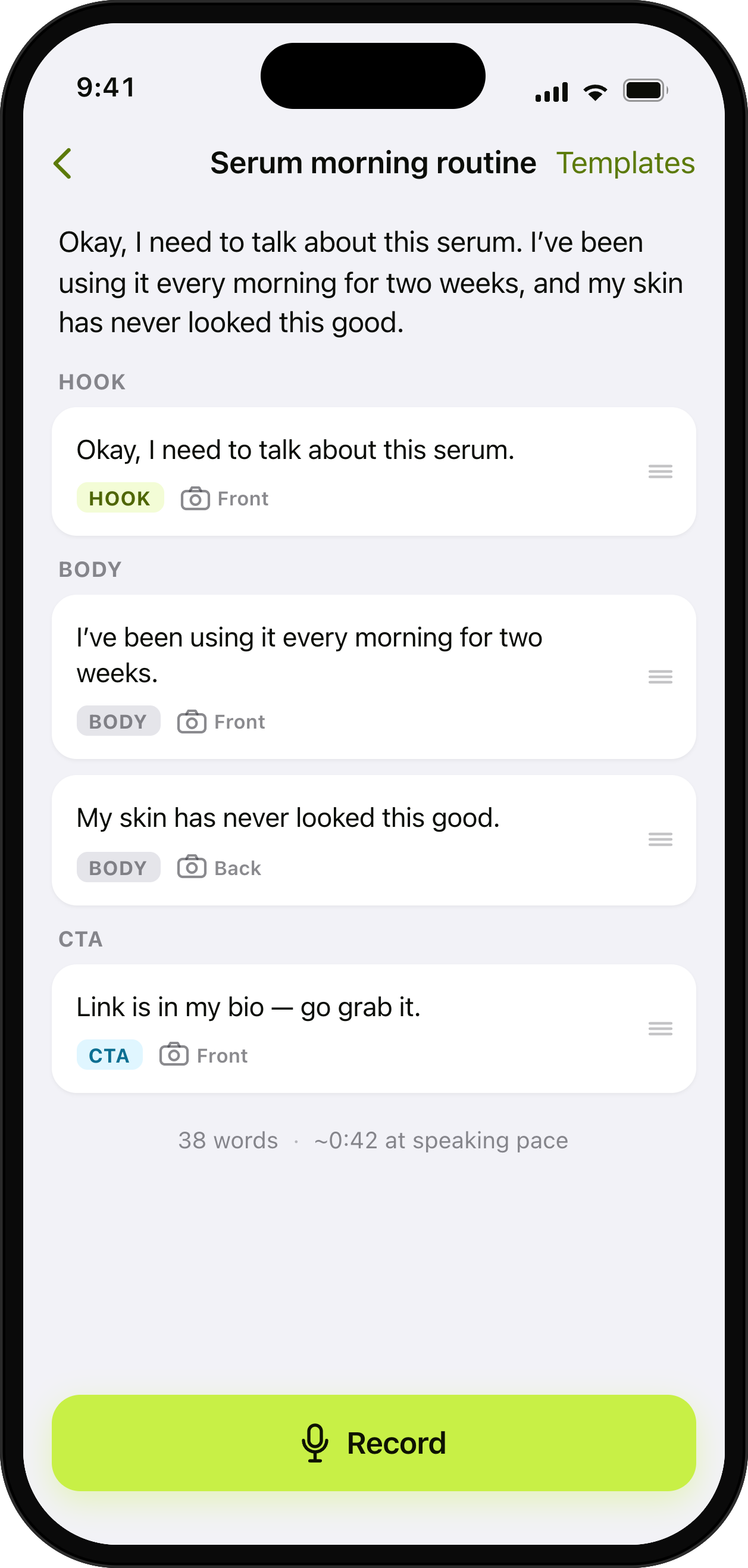
Write it once. Tag Hook, Body, CTA.
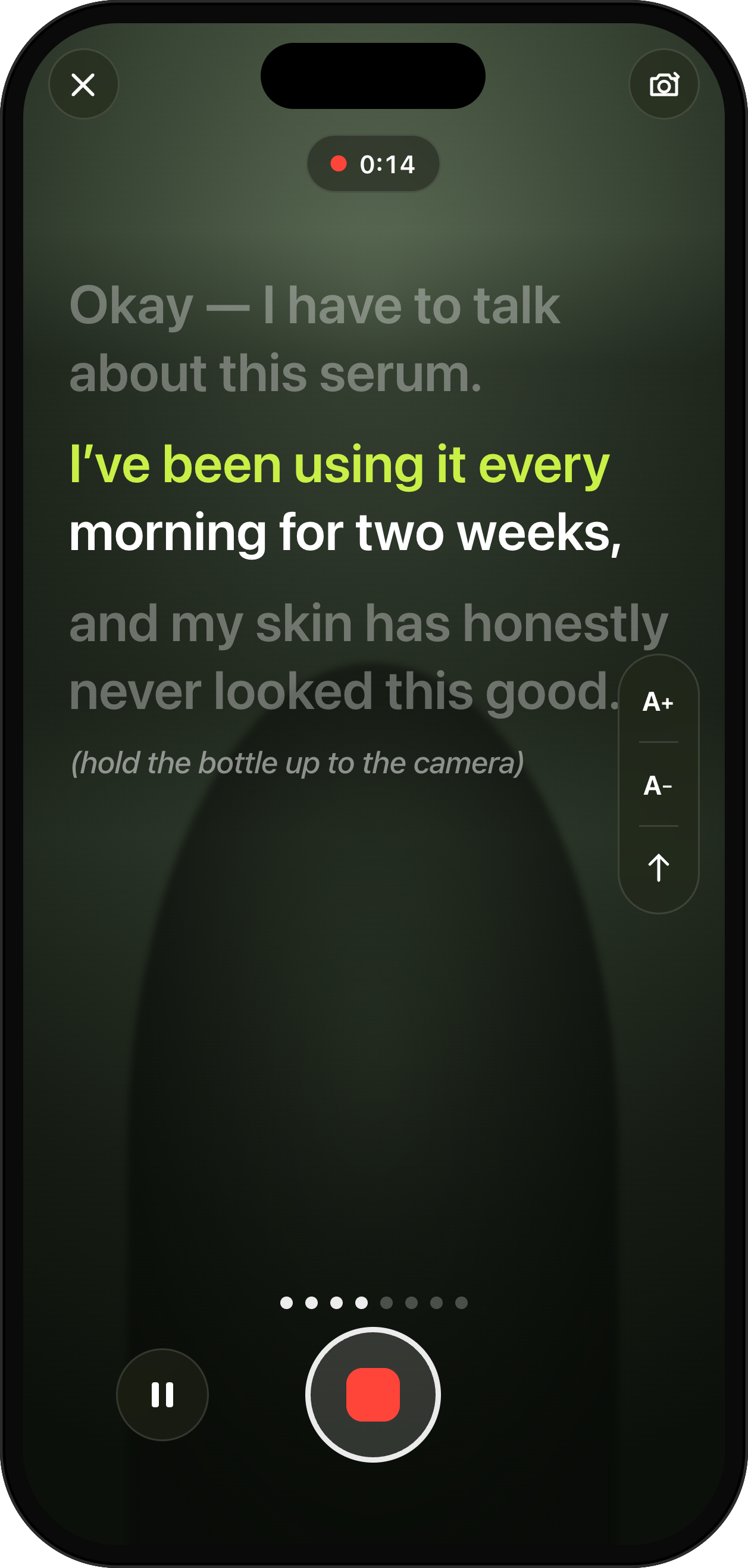
Read it to the camera. The prompter follows your voice.
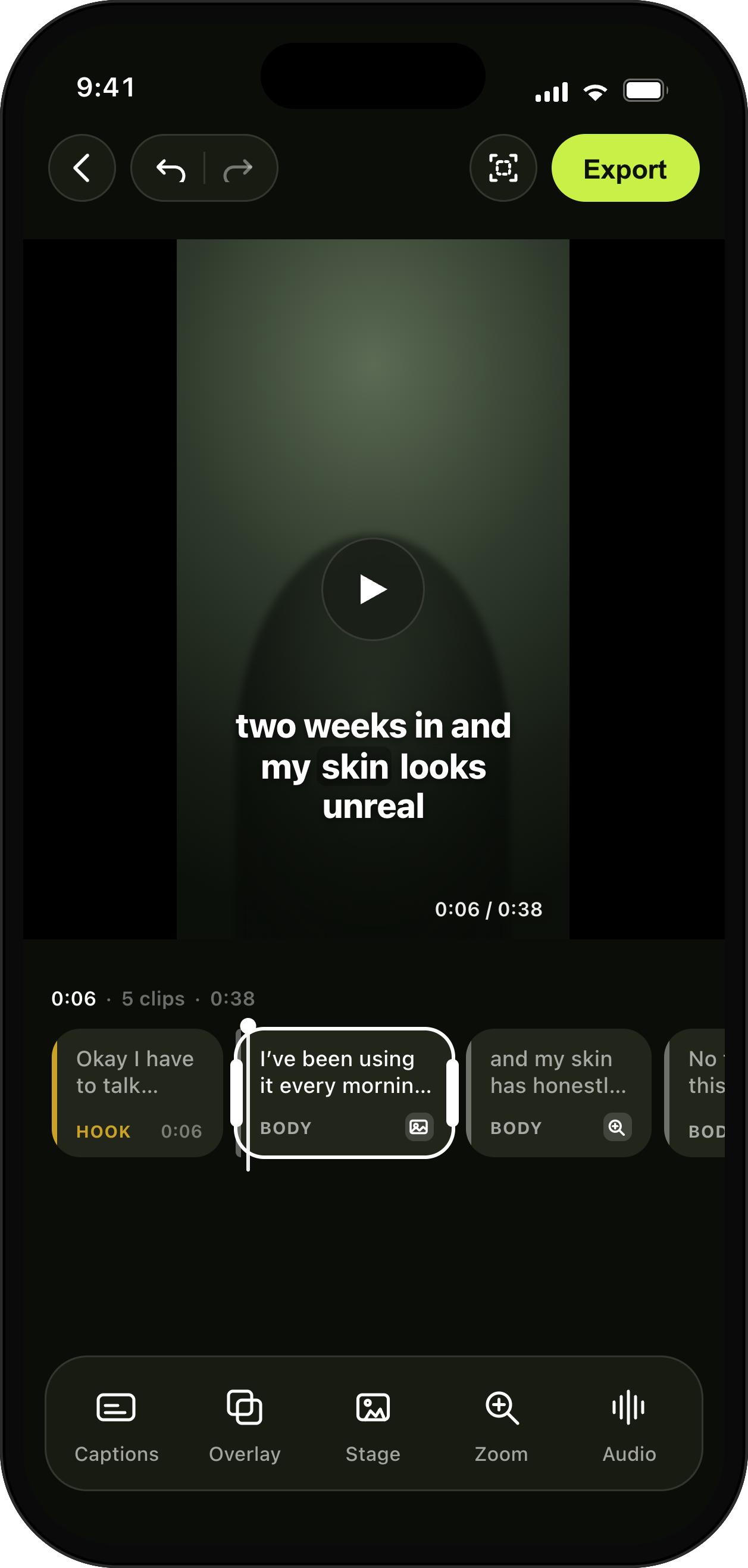
A timeline made of sentences, not frame soup.
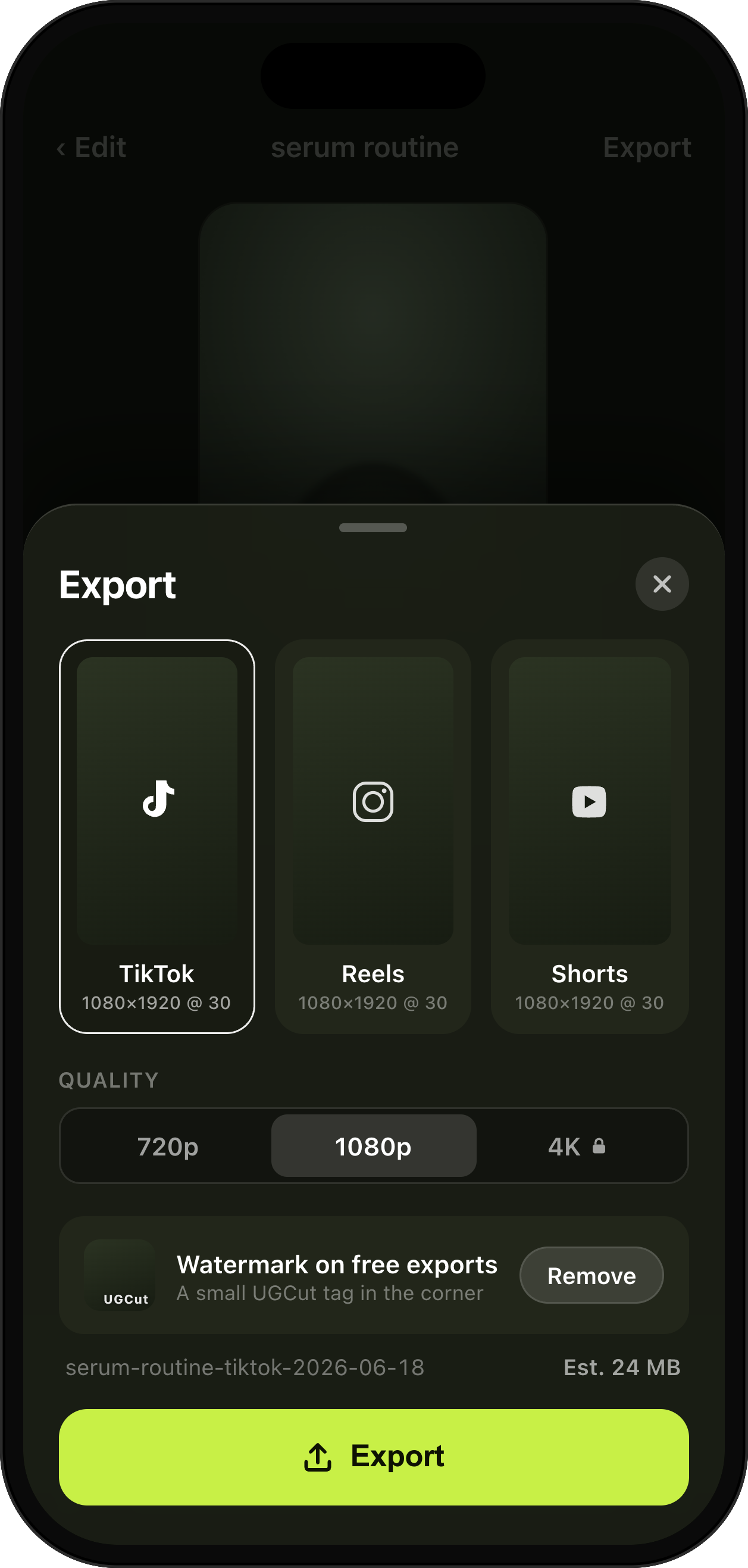
TikTok, Reels & Shorts presets, safe-zone aware.
Key features
See all →Video Script Editor with Auto-Segmentation
Write or paste a script and UGCut splits it into sentences you can tag Hook, Body, and CTA. Start from a template or a blank page.
Teleprompter App for iPhone
The prompter follows your voice and scrolls at your pace. Flub a line and one gesture re-records just that sentence.
Auto-Cut Video, One Cut Per Sentence
UGCut cuts your take into clips per sentence automatically, anchored to your script, with no scrubbing and no manual trim points.
Takes Review & Re-Record
Every sentence keeps its takes. Review by script line, pick the best, or re-record a single sentence without touching the rest.
FAQ
How is UGCut different from CapCut?
What does "script-first" actually mean?
Does my video ever leave my iPhone?
Do I need an account to use UGCut?
How does the teleprompter work?
What’s free and what’s Pro?
How much does Pro cost?
Which platforms can I export for?
Privacy
UGCut keeps the whole creator loop on your iPhone. Your script, footage, voice, cuts, captions, and AI processing never touch our servers. Limited anonymous purchase history is used for subscription functionality and analytics; it is not linked to your identity or used for tracking. No account is required to write, record, cut, caption, and export.
Read the full privacy page →